AI Real Estate Video Generator

Turn listing photos into smooth walkthrough-style clips: slow dolly moves, drone reveals and twilight exteriors. Made for agents and short-term rentals.

Listing photo
Prompt sent to the model

Slow forward dolly through the space in the photo. Smooth, stable real estate cinematography, bright natural light, no people, no changes to the architecture or furniture.

Your results appear here

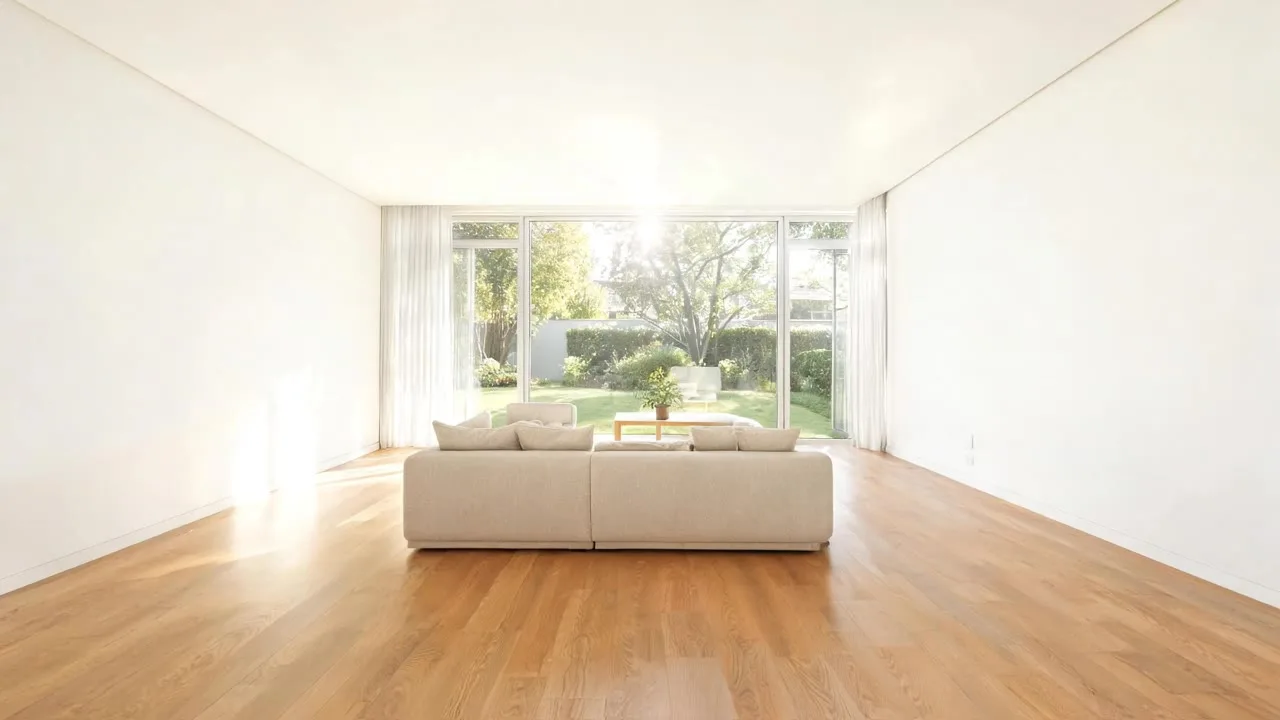
Until you press Generate, this is a sample the tool made.

Real Estate Video sample made with Veo 3.1 LiteGenerated sample photo the tool started fromSample start photoVideo
Sample made with Veo 3.1 Lite, 288 credits

A listing with video gets more attention than one with only photos. Upload a listing photo, pick a camera move, and get a smooth clip that keeps the room exactly as it is. Stitch several together for a tour.

How it works

  1. Upload a wide listing photo
  2. Pick a camera move
  3. Generate one clip per room and edit them together

Tips for better results

  • Wide-angle, well-lit photos animate best.
  • Keep moves slow. Fast moves reveal AI artifacts.
  • Do not use AI to change rooms in ways that misrepresent the property.

What people make with it

  • MLS and portal listings
  • Instagram and TikTok reels
  • Short-term rental listings

Questions

Can I use AI video in listings?

Yes, as long as it does not misrepresent the property. Keep the preset's 'no changes' wording and check each clip.

How much does it cost?

Each generation uses credits from your plan. The exact number shows on the Generate button before you spend anything, and failed generations are refunded automatically. New accounts get free credits to try it.