
AI Photoshoot Generator

Generate a full photo set from your selfies: choose a theme, a shot type and a color grade, and the AI photoshoot generator renders matching frames.

Your photos0/4

1 to 4 clear photos of the same person. Face visible, good light, no sunglasses.

Prompt sent to the model

Waist-up portrait of the person in the reference photos, a luxury hotel lobby in Milan, warm film color grade. Same face and identity as the reference, consistent styling across the set, professional photography, sharp focus.

Your results appear here

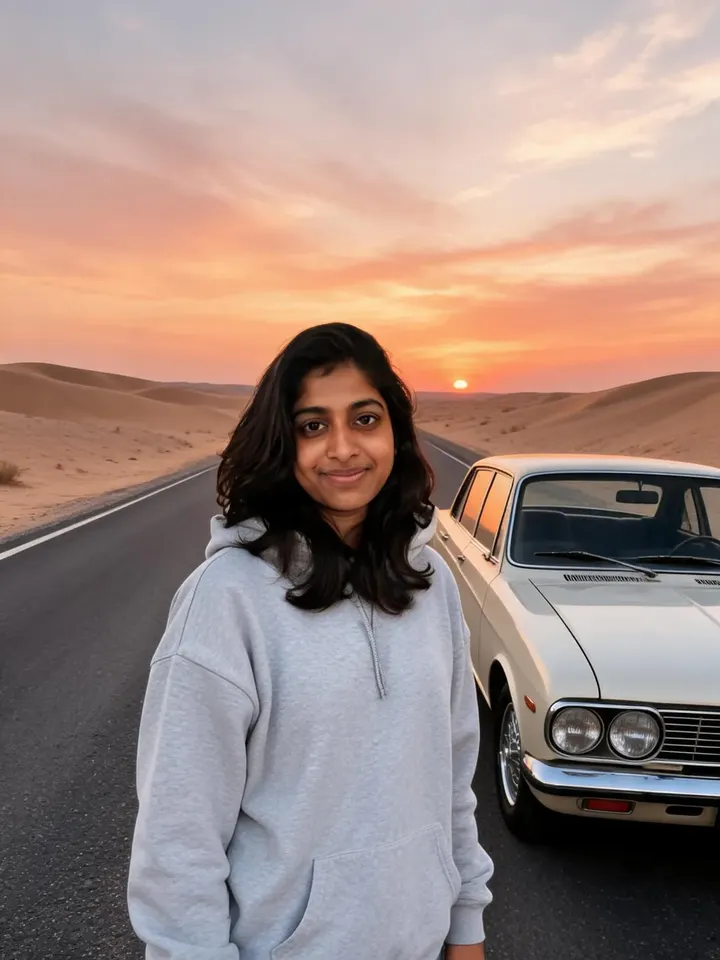
Until you press Generate, this is a sample the tool made.

AI Photoshoot Generator sample made with Seedream 5.0 LiteGenerated sample photo the tool started fromSample start photo
Sample made with Seedream 5.0 Lite, 50 credits

The generator is for when you want control. Write any theme, choose the framing and pick a color grade, then generate up to four frames at once so the set looks like it came from one shoot.

How it works

  1. Upload 1 to 4 reference photos
  2. Write a theme, choose shot type and color grade
  3. Generate up to 4 frames per run

Tips for better results

  • Mix shot types across runs (close-up, waist-up, full body) to build a varied set.
  • Keep the theme and grade fixed while you change shot type so the set stays cohesive.
  • Seedream is the default because it handles multiple outputs well. Switch to Nano Banana if likeness matters most.

What people make with it

  • Personal brand kits
  • Lookbooks and outfit planning
  • Content calendars for creators
  • Speaker and author photos

Questions

How is this different from the AI photoshoot tool?

The AI photoshoot tool gives you ready settings in one tap. The generator lets you write any theme and control shot type and color grade for a consistent multi-image set.

How many images can I generate at once?

Up to four per run on models that support multiple outputs, like Seedream and GPT Image 2. Each image costs credits.

What happens to my photos?

Uploads are stored privately in your account and are only sent to the model that runs your job. Nothing is shared to the public gallery unless you choose to share it.

How much does it cost?

Each generation uses credits from your plan. The exact number shows on the Generate button before you spend anything, and failed generations are refunded automatically. New accounts get free credits to try it.